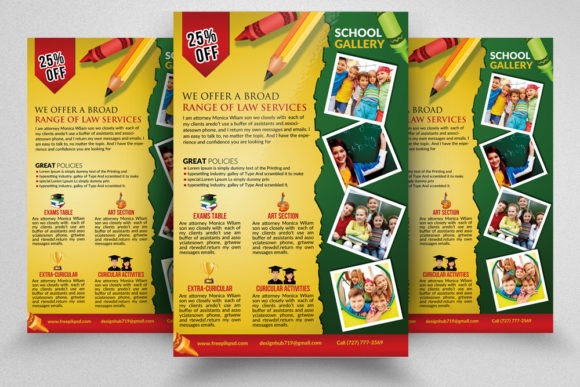
School Kids Education Flyer Design Guide
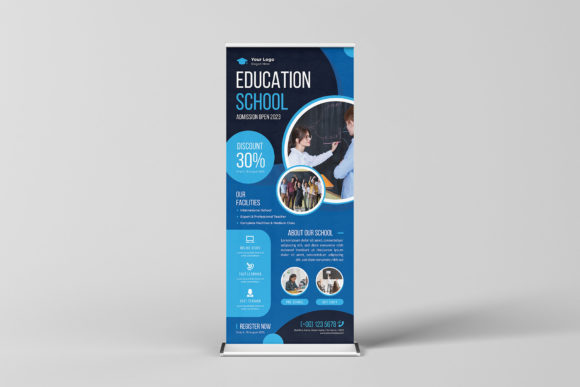
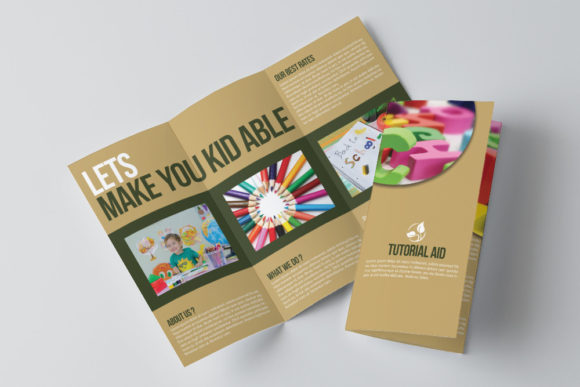
Creating effective promotional materials for educational institutions requires a balance of creativity, clarity, and technical precision. Whether you are a school administrator, a freelance designer, or a small business owner offering tutoring services, the visual appeal of your marketing collateral can significantly impact enrollment numbers and community engagement. A well-designed School Kids Education Flyer serves as more than just an announcement; it is a tangible representation of the quality and care provided by the institution. When potential parents or students pick up a flyer, they are subconsciously evaluating the professionalism of the organization behind it.
The challenge for many creators lies not in the lack of ideas, but in the execution. Designing from scratch can be time-consuming and technically demanding, especially when specific print standards must be met. This is where pre-designed templates become invaluable assets. By utilizing a professional template, you bypass the initial hurdles of layout design and focus directly on customizing the message to fit your unique needs. The key is selecting a resource that offers both aesthetic flexibility and technical reliability.
Understanding Technical Specifications for Print Quality
One of the most critical aspects of any printed material is its technical setup. A beautiful design will look unprofessional if it appears pixelated or has incorrect color representation when printed. High-quality templates are built with industry-standard specifications to ensure flawless output. For instance, a resolution of 300 DPI (Dots Per Inch) is the gold standard for printing. Unlike web graphics, which typically use 72 DPI, print materials require higher density to maintain sharpness and detail. If you attempt to print a low-resolution image, text may appear blurry, and images might look grainy, undermining the credibility of your educational program.
Color accuracy is another vital component. Professional flyers use the CMYK color mode rather than RGB. While screens display colors using Red, Green, and Blue light, printers use Cyan, Magenta, Yellow, and Key (black) ink. Designing in CMYK ensures that the vibrant colors you see on your screen closely match the final printed product. Additionally, proper bleed settings are essential. A standard 0.25-inch bleed allows the design to extend beyond the cut line, preventing unwanted white borders if the paper shifts slightly during the trimming process. A template sized at 8.5×11 inches with these bleed considerations ensures that your final product looks polished and professionally produced.
The Power of Easy Customization and Layer Organization
For users who may not have advanced graphic design skills, the structure of the design file is just as important as the visual elements. A high-quality School Kids Education Flyer template should feature well-organized layers. Imagine opening a file where every element is locked into a single background image. Making changes would be nearly impossible. In contrast, a professionally structured file separates text, images, shapes, and backgrounds into distinct, labeled layers. This organization allows you to toggle visibility, lock specific elements to prevent accidental moves, and edit individual components without affecting the rest of the design.
Editable text layers are perhaps the most frequently used feature. You need to be able to quickly change the school name, event dates, contact information, and taglines. With editable layers, this process takes seconds rather than hours. Furthermore, the use of Smart Object layers for images simplifies the process of adding your own photos. Instead of manually resizing and masking every new picture, you can simply double-click the Smart Object, paste your image, save, and watch it automatically fit into the designated frame with the correct perspective and effects applied. This feature is particularly useful for showcasing happy students, classroom activities, or faculty members.
Another practical consideration is font usage. Many premium templates rely on obscure, paid fonts that require additional purchases. However, user-friendly templates utilize free fonts that are easily accessible online. This ensures that when you open the file, the text displays correctly without missing font errors, saving you the hassle of tracking down licenses or finding suitable replacements.
Versatile Applications for Educational Marketing
The utility of a versatile flyer template extends far beyond a single use case. Educators and marketers can adapt the design for various scenarios throughout the academic year. Here are several practical applications:
- Open House Events: Highlight key dates, campus tours, and registration deadlines with clear, bold typography.
- After-School Programs: Promote extracurricular activities such as sports, arts, or coding clubs by swapping out images to reflect the specific activity.
- Tutoring Services: Freelance tutors can use the clean layout to list subjects offered, hourly rates, and testimonials from parents.
- Summer Camps: Adjust the color scheme slightly to evoke summer vibes while maintaining the structural integrity of the layout.
- Parent-Teacher Meetings: Create informative handouts that outline agenda items and important reminders for the upcoming semester.
The clean and professional nature of these files means they can be adapted to suit different brand identities. Whether your institution prefers a playful, colorful aesthetic or a more formal, traditional look, the underlying structure supports various stylistic choices. This adaptability makes the template a long-term investment rather than a one-time purchase.
Getting Started and Best Practices
To maximize the value of your design asset, start by reviewing the included documentation. Most professional packages come with an Instruction.txt help file. This guide provides step-by-step instructions on how to open the PSD file, replace images, and export the final document for print. Taking five minutes to read this file can save you from common mistakes, such as forgetting to convert text to outlines or exporting in the wrong color profile.
When customizing your flyer, keep the hierarchy of information in mind. The most important details, such as the event name and date, should be the most prominent. Use the editable text layers to adjust font sizes and weights accordingly. Ensure that there is enough contrast between the text and the background for readability. Since the template uses free fonts, you can also experiment with pairing different typefaces if you wish to add a unique touch, provided they remain legible.
Before sending your design to the printer, always do a test print on standard home paper. Check for alignment issues, color accuracy, and any typos. Once satisfied, export the file as a high-quality PDF or keep it in PSD format if your printer accepts it. Remember, the goal is to communicate clearly and attractively. A cluttered design can confuse the reader, so utilize the white space effectively. The professional and clean files provided in these templates are designed with this principle in mind, guiding you toward a balanced composition.
Investing in a high-quality template streamlines your workflow, allowing you to produce marketing materials that rival those created by expensive agencies. It empowers educators and small business owners to take control of their branding without needing years of design experience. By leveraging features like smart objects, organized layers, and print-ready specifications, you ensure that every flyer you distribute reflects the excellence of your educational offerings.
Finally, community feedback plays a crucial role in the digital marketplace. If you find the template helpful and easy to use, consider leaving a rating. Your feedback helps other creators find reliable resources and encourages designers to continue producing high-quality, user-friendly tools. Thank you for choosing this item, and we hope it serves your educational marketing needs effectively.